Sieve
Raw volumes (with vendor headers) and TIFF stacks, also inside ZIP archives, become a bricked VDB dataset. Bricks with only outside air are not written. Grey values stay lossless.
VoxelSieve removes the outside air from reconstructed CT scans, keeps the part and its internal voids, and stores the result as a sparse OpenVDB dataset. On top of it: porosity analysis, inspection reports after BDG P 202, nominal-actual comparison with the CAD model, dimensional measurement with first article reports, a browser UI and an MCP server for AI assistants. Scans larger than memory work, streamed out of core.
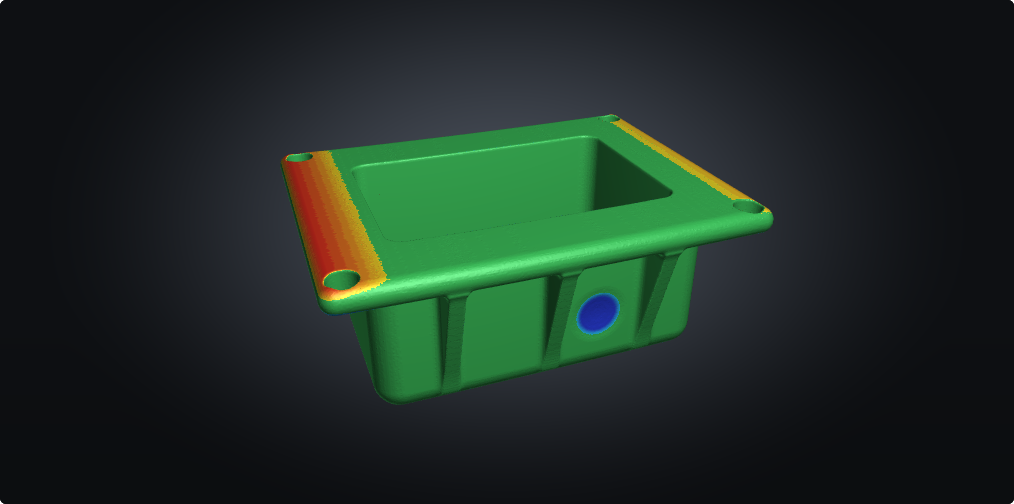
Raw volumes (with vendor headers) and TIFF stacks, also inside ZIP archives, become a bricked VDB dataset. Bricks with only outside air are not written. Grey values stay lossless.
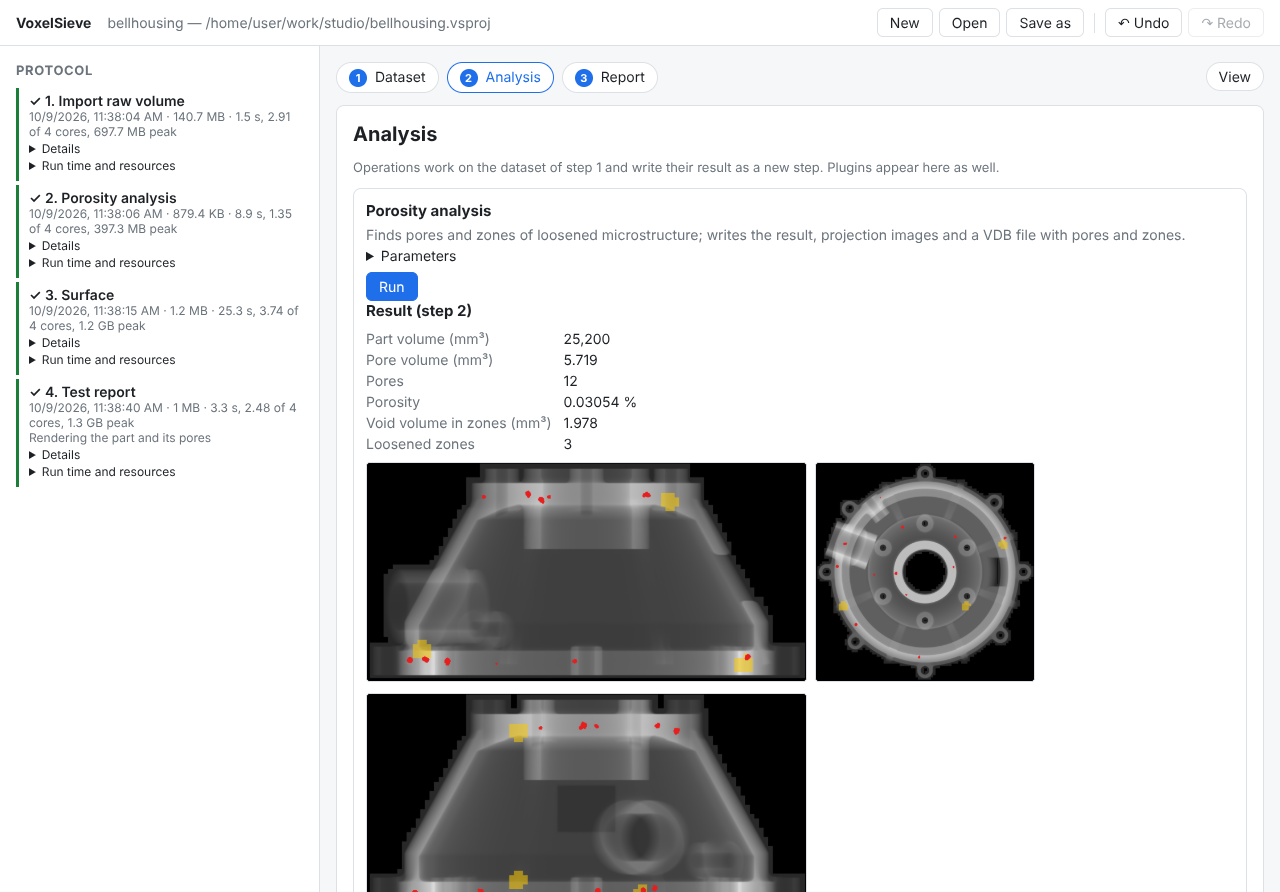
Finds pores and zones of loosened microstructure, with volumes from the grey values and cupping kept apart from porosity. On a synthetic scan of a cast bell housing every shrinkage cavity is within 2 % of the ground truth.
Evaluates the analysis against acceptance limits per inspection zone (BDG P 202 scheme) and writes an HTML report to print as PDF.
Measures the characteristics of a drawing on the scan: planes, cylinders and spheres found on the CAD model, datums 3-2-1 or RPS, sizes, form, orientation, position and profile against their tolerances.
Cover sheet, characteristic list with nominal, tolerance, actual value and OK/NOK, and views of the part with the balloon numbers, made by an AI assistant from scan and CAD model.
Non-local means against the measured noise of the scan, or a learned model trained on the noisy scan alone, into a new dataset that keeps the part.
Aligns the CAD model (STL) to the scanned surface, from any pose, and measures the signed deviation of every surface point, with statistics and a coloured mesh.
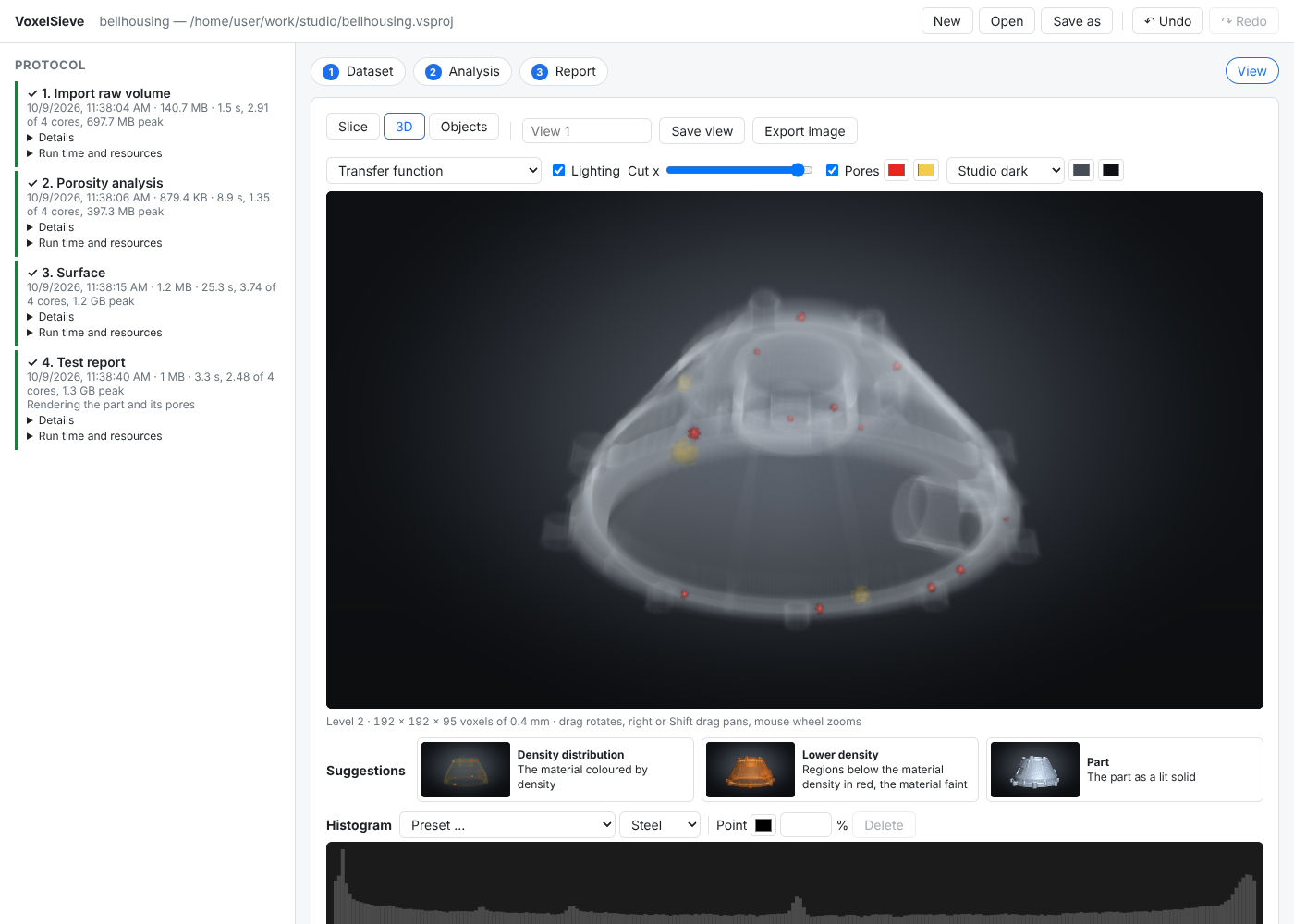
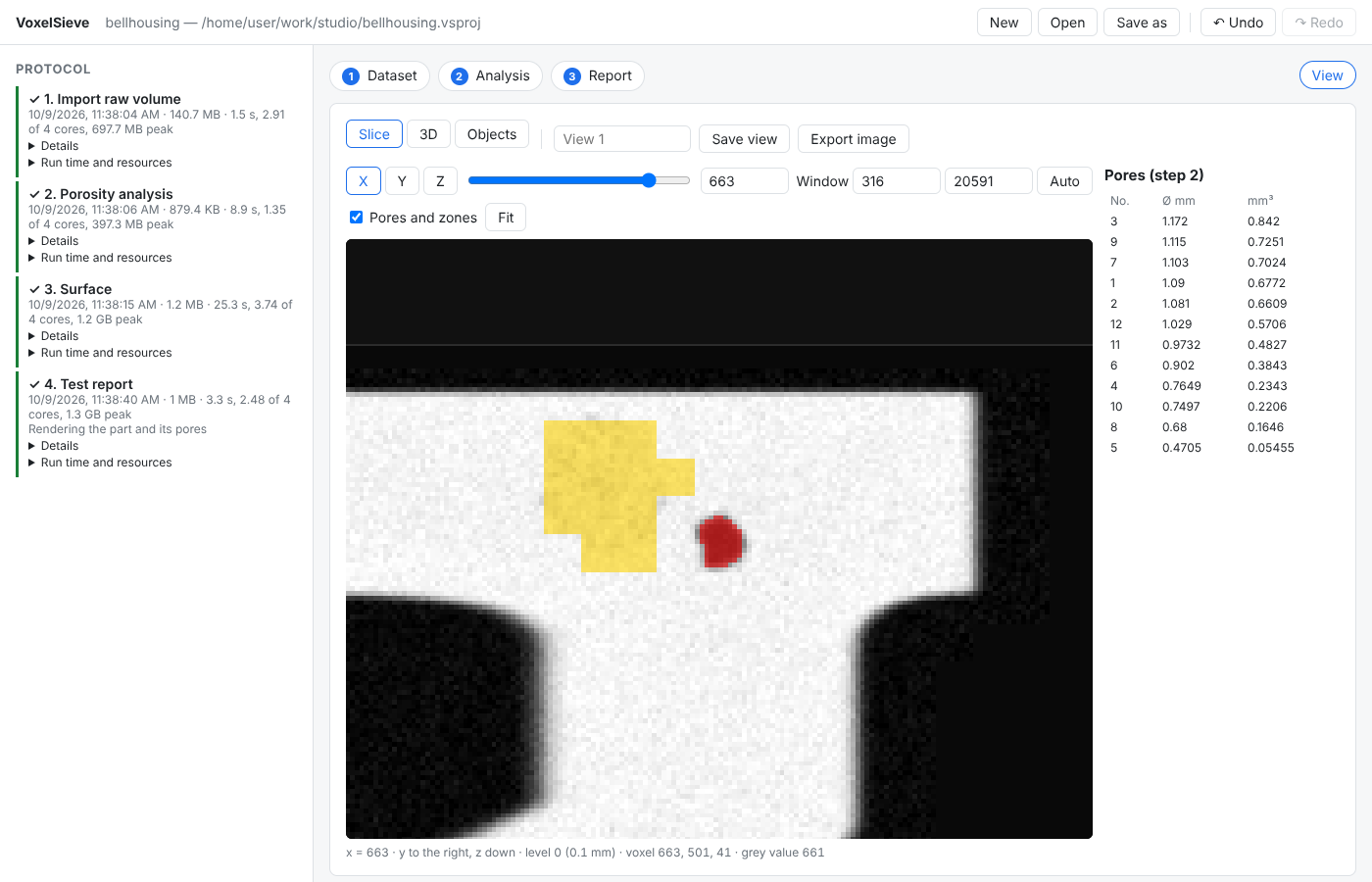
A browser UI with slice and 3D views that load only what is on screen, a wizard, undo and redo, saved views and several objects in one coordinate system.
Material classes by grey value or a learned model run on the CPU tile by tile, scored against labels. Training scripts in PyTorch are included.
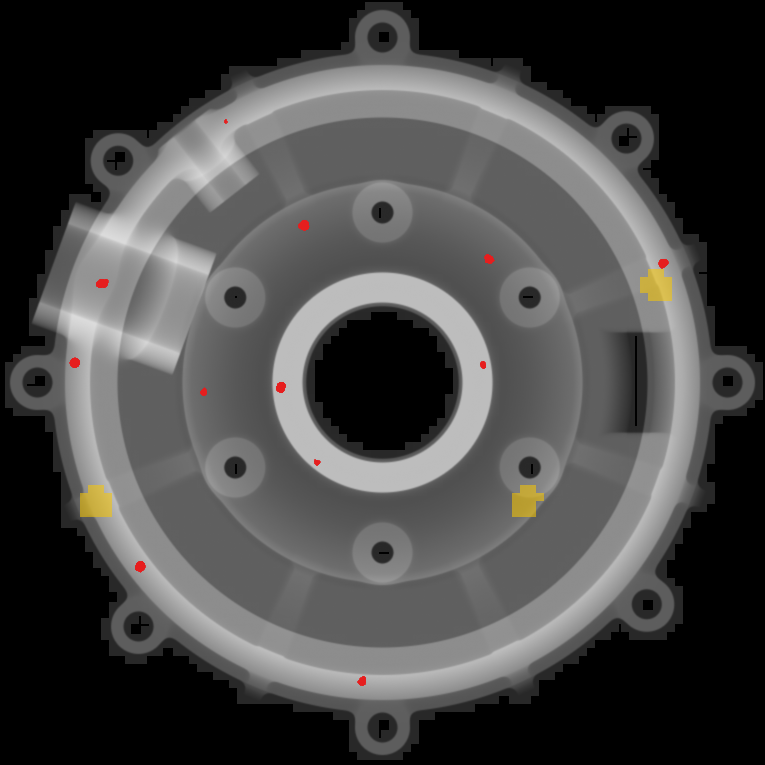
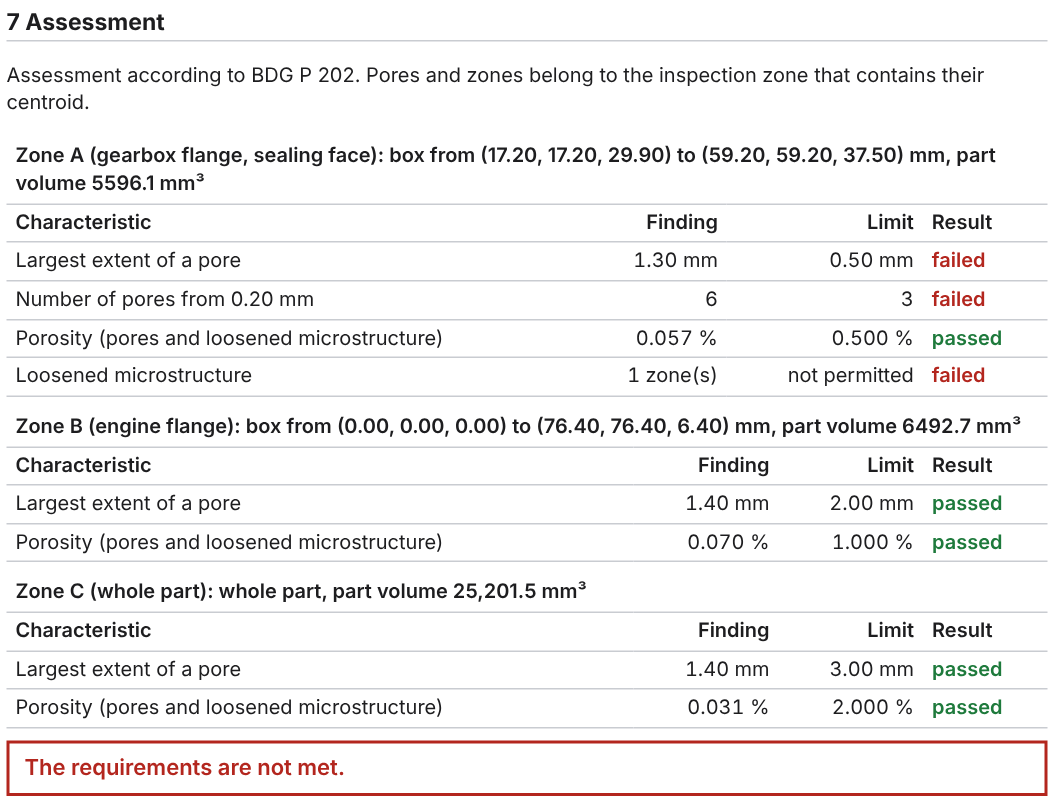
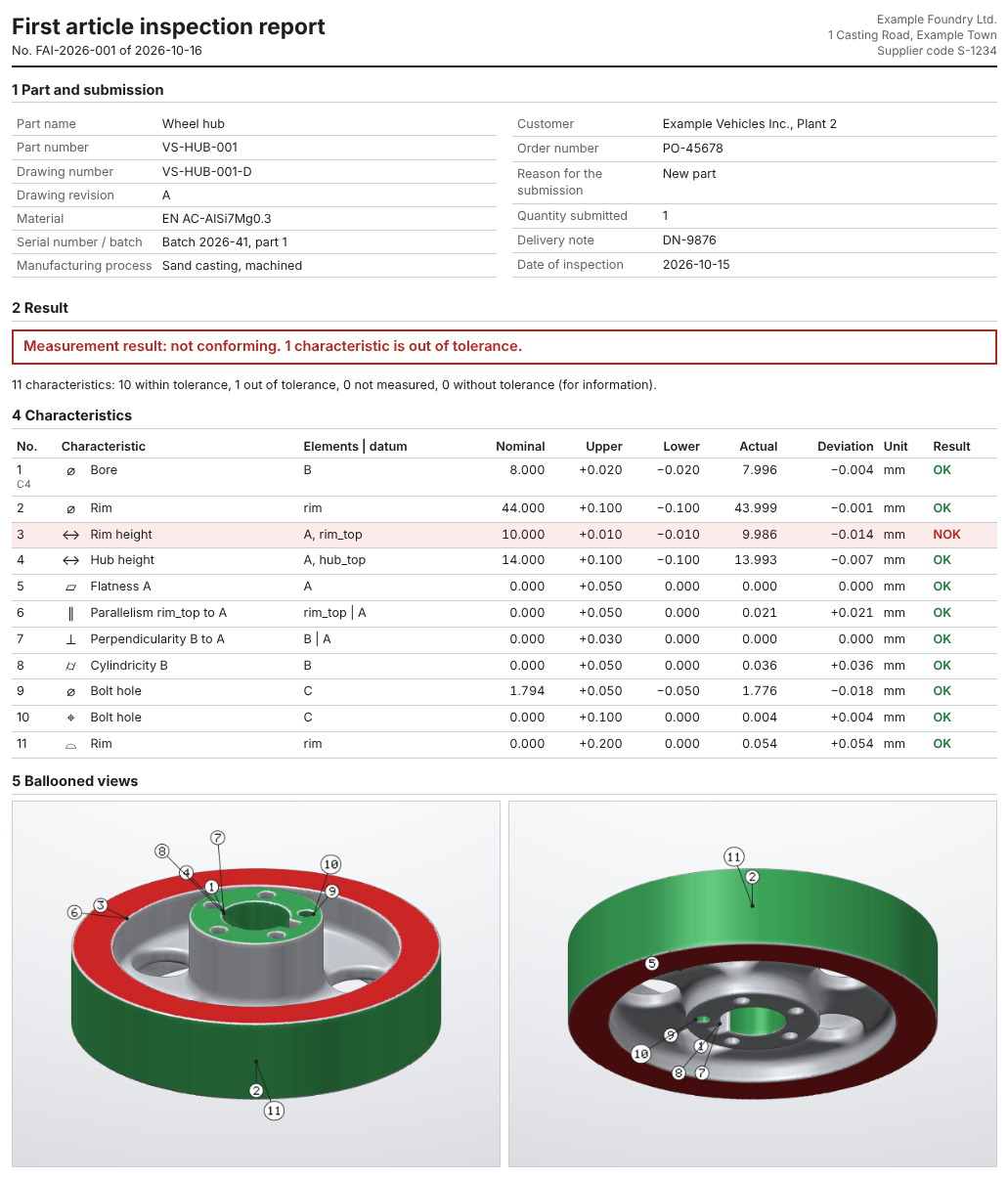
vs-gui --mcp serves VoxelSieve over the Model Context Protocol. An
assistant such as Claude Desktop or Claude Code can create projects, run the analyses,
look at slices and write the report, up to a first article inspection report from a scan
and its CAD model.
It runs on your computer: the scans stay where they are, and the assistant only receives results such as pore lists, measurements, slice pictures and reports.
claude mcp add voxelsieve -- \
  /opt/voxelsieve/bin/vs-gui --mcp /data/scans

> Import /data/scans/housing.raw, analyse the
  porosity and write an inspection report with
the example order..mcpb) for Claude Desktop, or an archive with all tools for Linux,
Windows and macOS. The Docker image is ghcr.io/yoshi5534/voxelsieve.To build from source, see the README; dependencies come from vcpkg. Contributions are welcome, see CONTRIBUTING.md.